
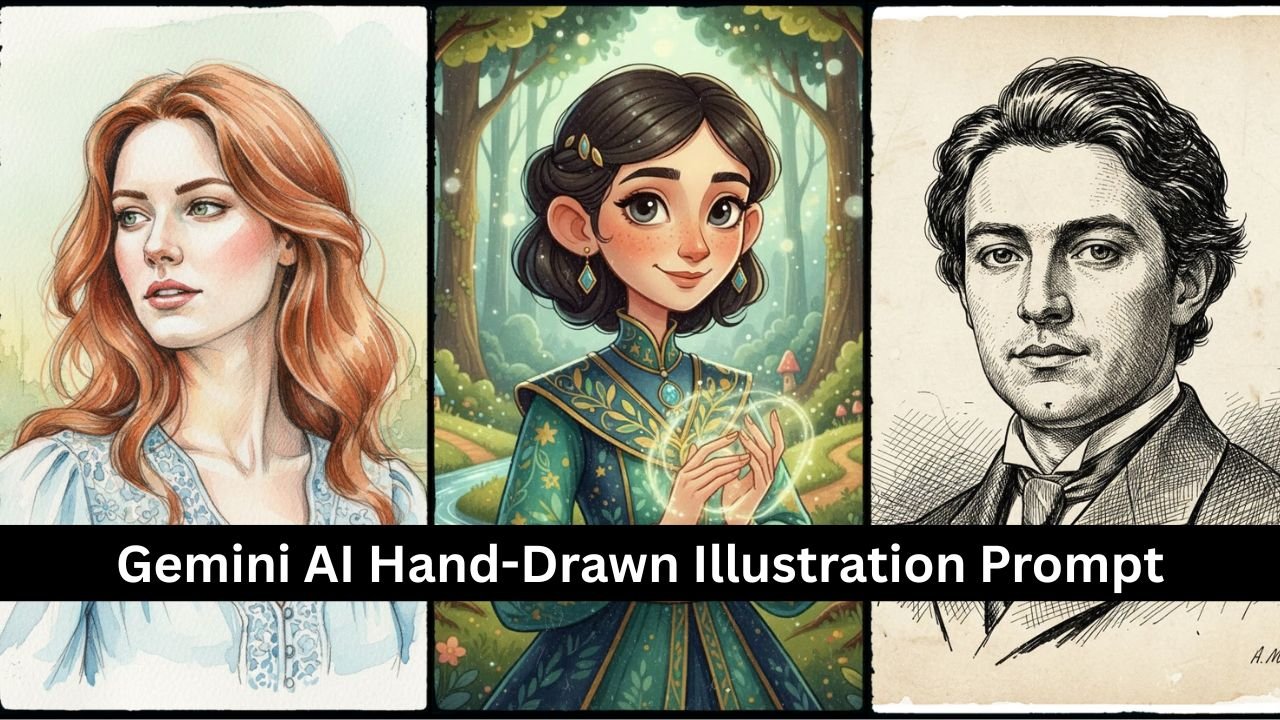
The rise of AI-powered creativity tools has made it easier than ever to turn ordinary photos into extraordinary works of art. With Google Gemini AI photo editing prompts, you can now transform your portraits, selfies, or even candid shots into hand-drawn illustrations that look like they were sketched by a professional artist.
This guide explores how to use Gemini AI prompts effectively to achieve a hand-drawn illustration effect, along with examples, tips, and creative variations.
Why Choose the Hand-Drawn Illustration Style?
- Artistic Appeal: Adds a timeless, sketchbook-like quality to photos.
- Personalization: Perfect for gifts, social media posts, or profile pictures.
- Versatility: Works well for portraits, couples, pets, and even landscapes.
- Aesthetic Trend: Hand-drawn edits are trending across Instagram, Pinterest, and digital art communities.
The Core Gemini AI Prompt
Here’s a base prompt you can use:
“Transform my photo into a hand-drawn pencil sketch illustration with fine shading, cross-hatching details, and a soft paper texture background.”
This prompt emphasizes pencil sketch realism, but you can customize it for different illustration styles.
5 Creative Variations of the Hand-Drawn Illustration Prompt
1. Minimalist Line Art
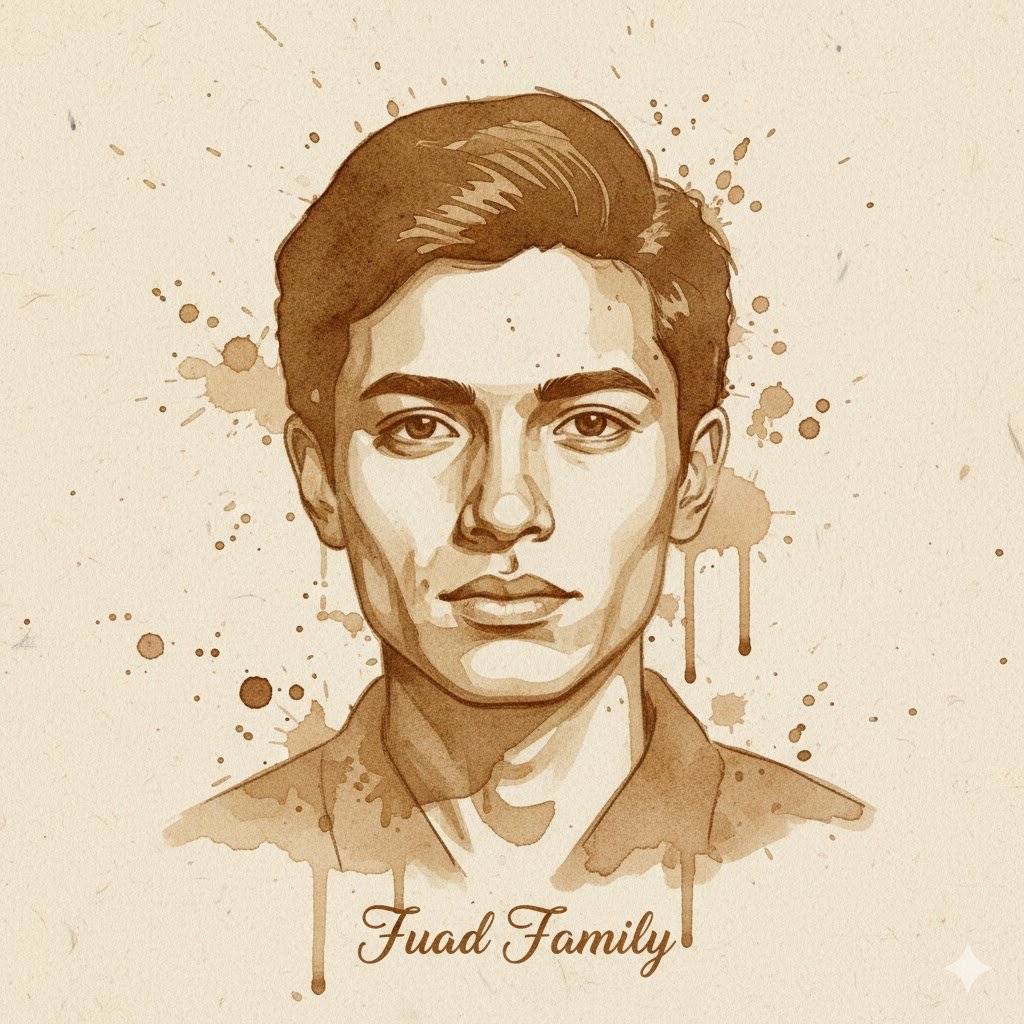
Transform the portrait into a hand-drawn illustration made with coffee on textured paper. Use natural brown coffee stains and brush strokes instead of ink or pencil lines. The paper background should show grain and uneven absorption, giving it an organic, vintage look. Preserve the likeness and proportions of the face, but render with artistic imperfections, splashes, and subtle tonal gradients that mimic coffee painting. Avoid modern digital effects—make it look handcrafted. Add the text ‘Fuad Family’ at the bottom
- Best for modern, simple aesthetics.
- Works well for profile pictures and posters.
2. Vintage Ink Drawing
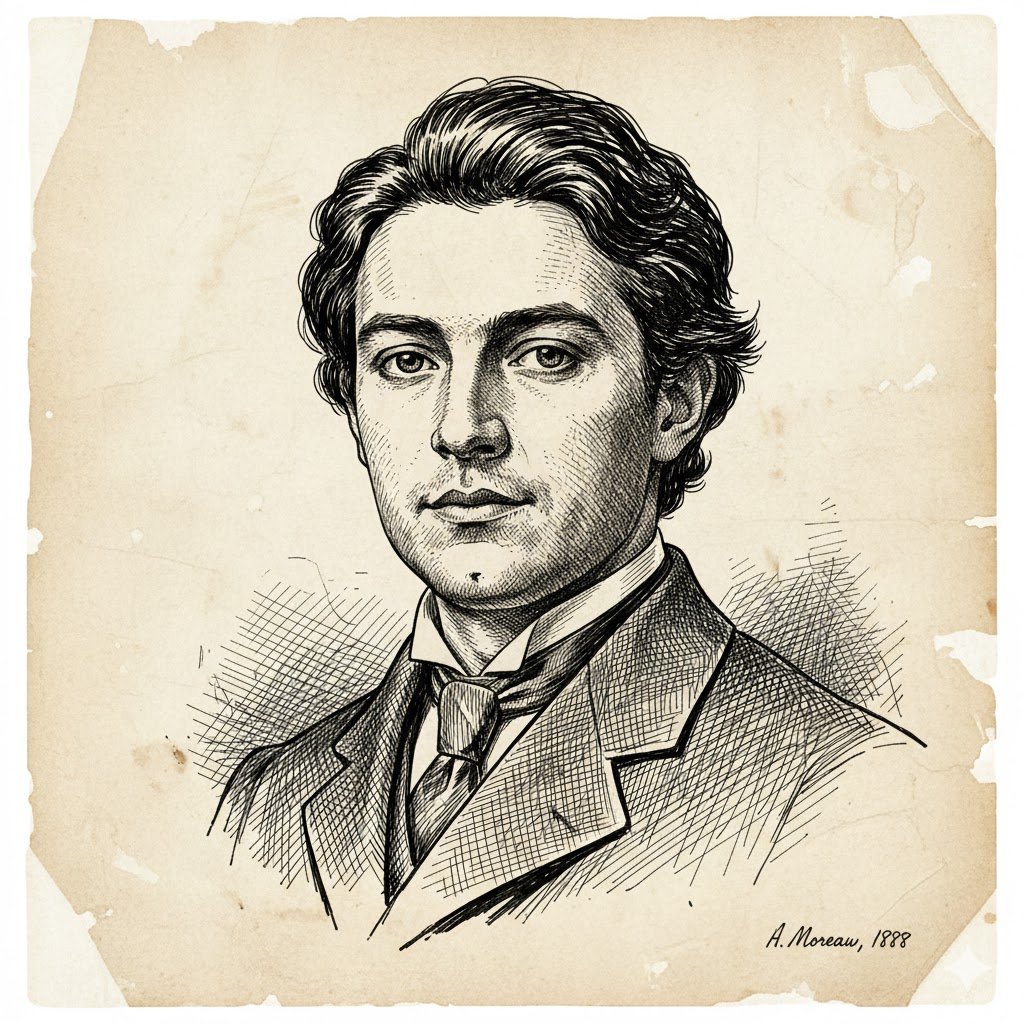
Transform the portrait into a vintage ink pen and brush drawing made with black Indian ink on aged, textured parchment paper. Use sharp, dynamic black lines, hatching, and cross-hatching instead of tonal washes or color. The paper background should display a creamy, distressed texture with subtle fading and imperfections, giving it a classic, hand-sketched look. Preserve the likeness and proportions of the face, but render with traditional artistic linework and varying line weights. Avoid modern digital effects—make it look like a masterful, handcrafted 19th-century illustration
- Creates a classic, retro vibe.
- Ideal for book covers or artistic prints.
3. Cartoon Sketch Style
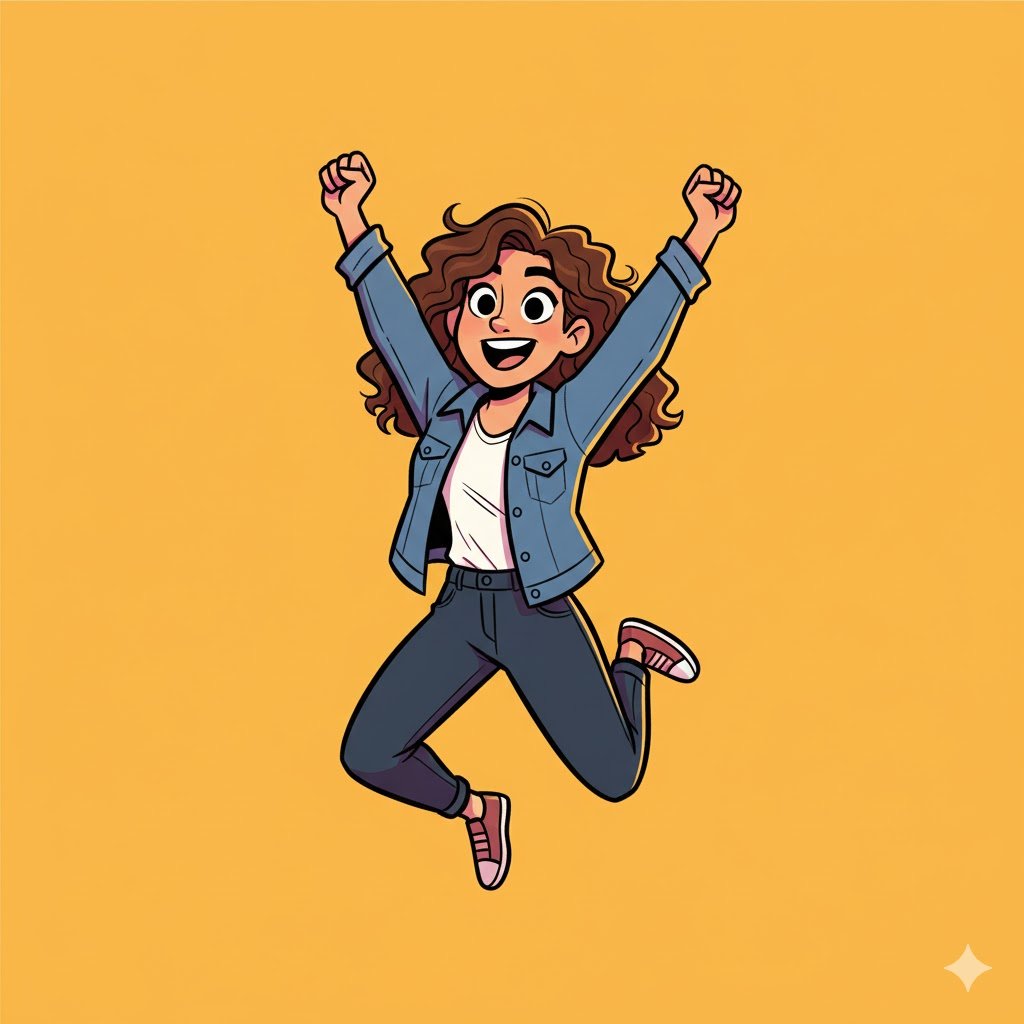
Transform the portrait into a bright, dynamic cartoon sketch. Use thick, clean black outlines and minimal, flat cel-shading instead of realistic rendering or complex textures. The background should be pure white or a single, bright, complementary color, emphasizing the character. Simplify the facial features and proportions to match a classic, expressive cartoon style, focusing on bold, exaggerated emotions and clear, simple shapes. Make it look like a masterful, modern-era animation character sketch, full of energy and personality.
- Fun and lighthearted.
- Great for social media avatars.
4. Watercolor & Pencil Hybrid
Transform the scene into a ‘Watercolor & Pencil Hybrid’ masterpiece. Use soft, fluid watercolor washes for broad areas of color and atmospheric effects, allowing for subtle blending and transparency. Overlap these with detailed pencil linework for crisp edges, textures, and fine details, particularly in foreground elements and character features. Emphasize expressive pencil strokes for shading and definition, giving the impression of hand-drawn precision over the ethereal watercolor base. The background should subtly recede with lighter washes, while the main subject stands out with more defined pencil work. Aim for a delicate balance between painterly fluidity and illustrative clarity, capturing a dreamy yet grounded aesthetic.
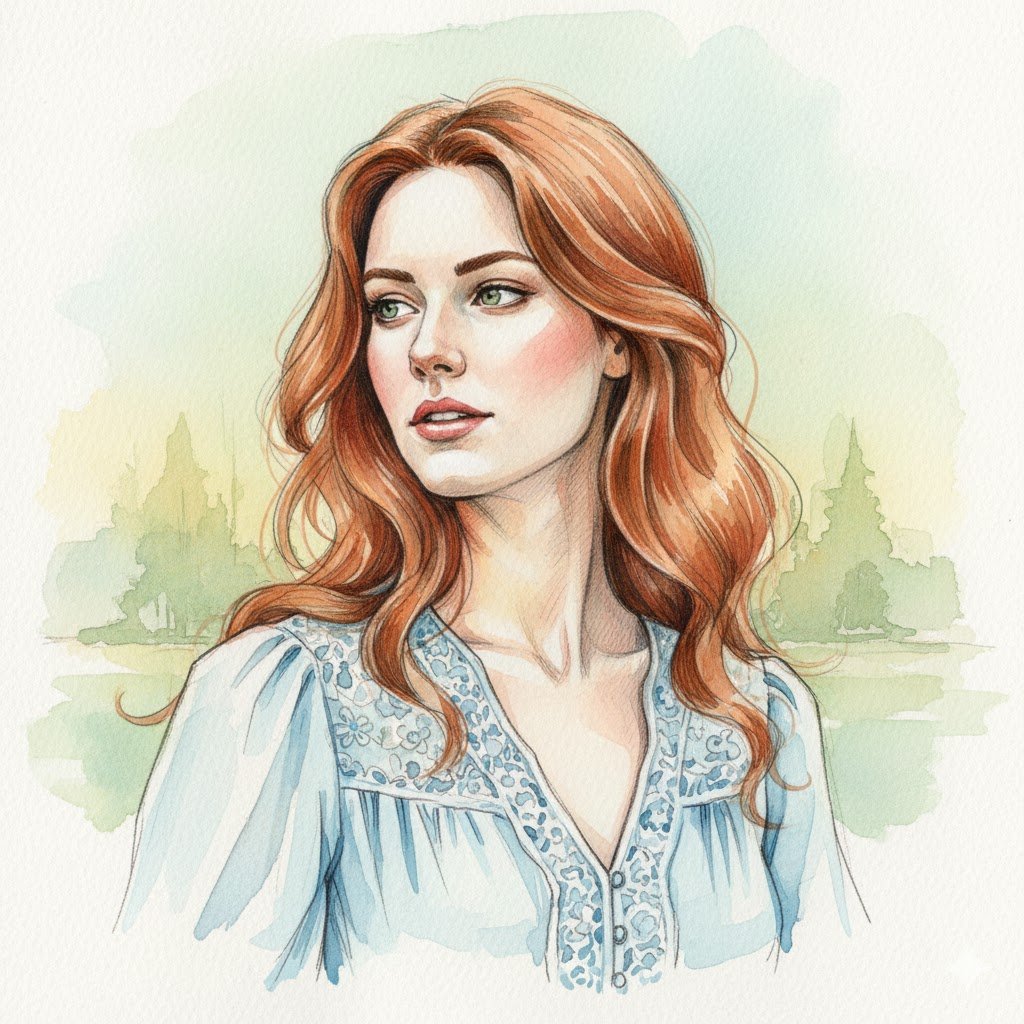
- Combines sketch realism with artistic color.
- Perfect for portraits and creative posters.
5. Fantasy Storybook Illustration
Transform the portrait into a whimsical fantasy storybook illustration, rendered in a soft, illustrative style with rich, vibrant colors. Depict the figure with stylized, slightly exaggerated features suitable for a children’s fantasy tale, perhaps with a touch of gentle magic in their expression. The background should be a lush, enchanted forest or a magical village scene, softly blurred to keep focus on the portrait, but clearly indicating a fantastical setting. Use gentle brushstrokes, a slightly textured finish mimicking watercolor or colored pencil, and a warm, inviting color palette. Preserve the recognizable features but imbue them with an innocent, adventurous, or wise storybook character persona. Avoid harsh lines or photorealism—make it look like a charming, hand-drawn piece from a beloved fairy tale. integrated artfully into the illustration style.
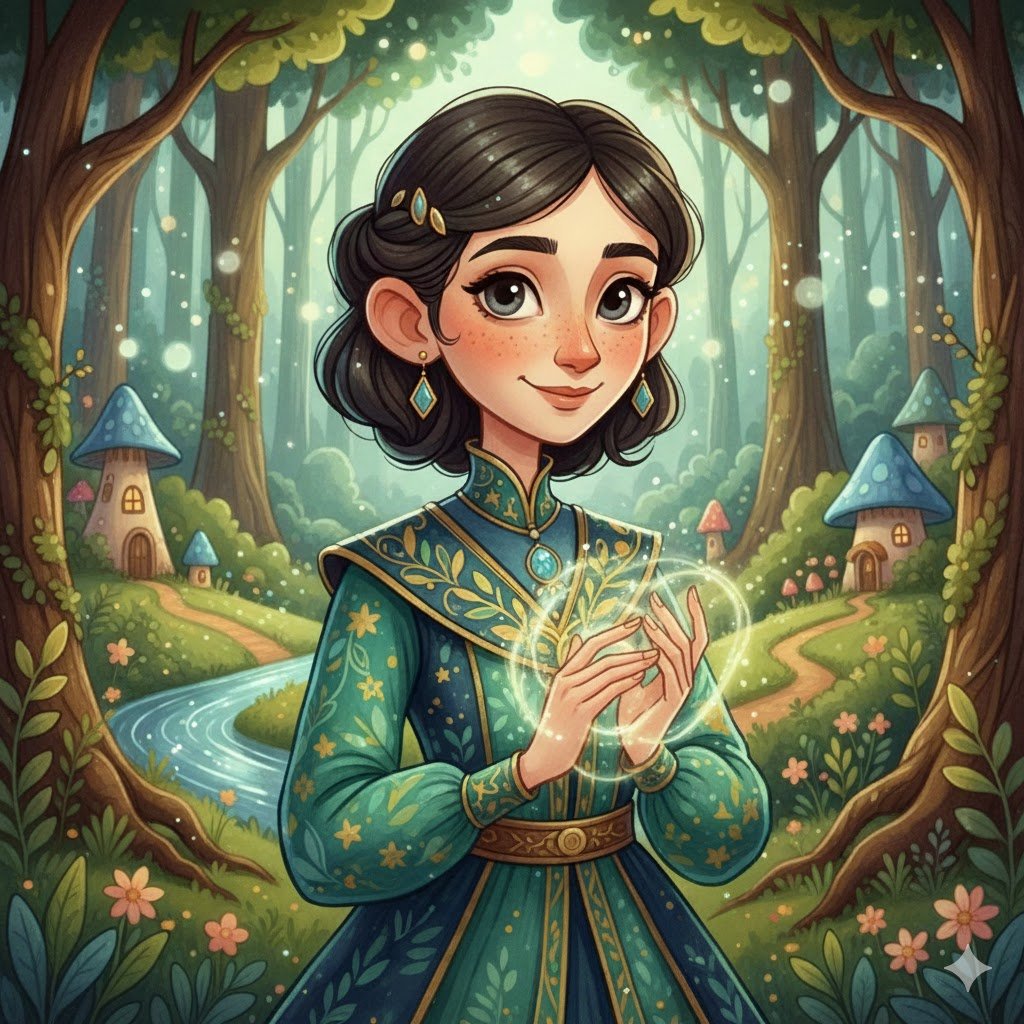
- Ideal for children’s book-style edits.
- Adds a magical, narrative quality.
Tips for Best Results
- Use High-Resolution Photos: Clear details help AI generate sharper sketches.
- Be Specific in Prompts: Mention shading, texture, or background style.
- Experiment with Mediums: Try pencil, ink, charcoal, or watercolor effects.
- Add Context: Specify “portrait,” “pet,” or “landscape” for tailored results.
- Layer Prompts: Combine “hand-drawn” with “vintage,” “minimalist,” or “cartoon” for unique outcomes.
For more inspiration, check out Adobe’s digital illustration tips.
Practical Uses of Hand-Drawn AI Illustrations
- Social Media Content: Unique profile pictures and posts.
- Personalized Gifts: Sketch-style portraits for birthdays or anniversaries.
- Marketing & Branding: Artistic visuals for campaigns.
- Creative Projects: Book covers, posters, and digital art portfolios.
Conclusion
With Gemini AI prompts, transforming your photos into hand-drawn illustrations is simple, creative, and endlessly customizable. Whether you prefer minimalist line art, vintage ink drawings, or whimsical storybook sketches, the right prompt can turn any photo into a piece of art.
By experimenting with variations and refining your prompts, you can create professional-quality illustrations that stand out in both personal and professional projects.
FAQs
1. Can Gemini AI turn any photo into a hand-drawn illustration?
Yes, as long as the photo is clear and high-quality.
2. Do I need art skills to use these prompts?
No, the AI handles the illustration process — you just provide the prompt.
3. Can I add color to the hand-drawn effect?
Yes, you can specify watercolor, pastel, or ink washes in your prompt.
4. Are these illustrations suitable for printing?
Yes, high-resolution outputs can be printed as posters or gifts.
5. Can I use these prompts for group photos?
Yes, Gemini AI can apply the hand-drawn effect to multiple subjects in one image.