
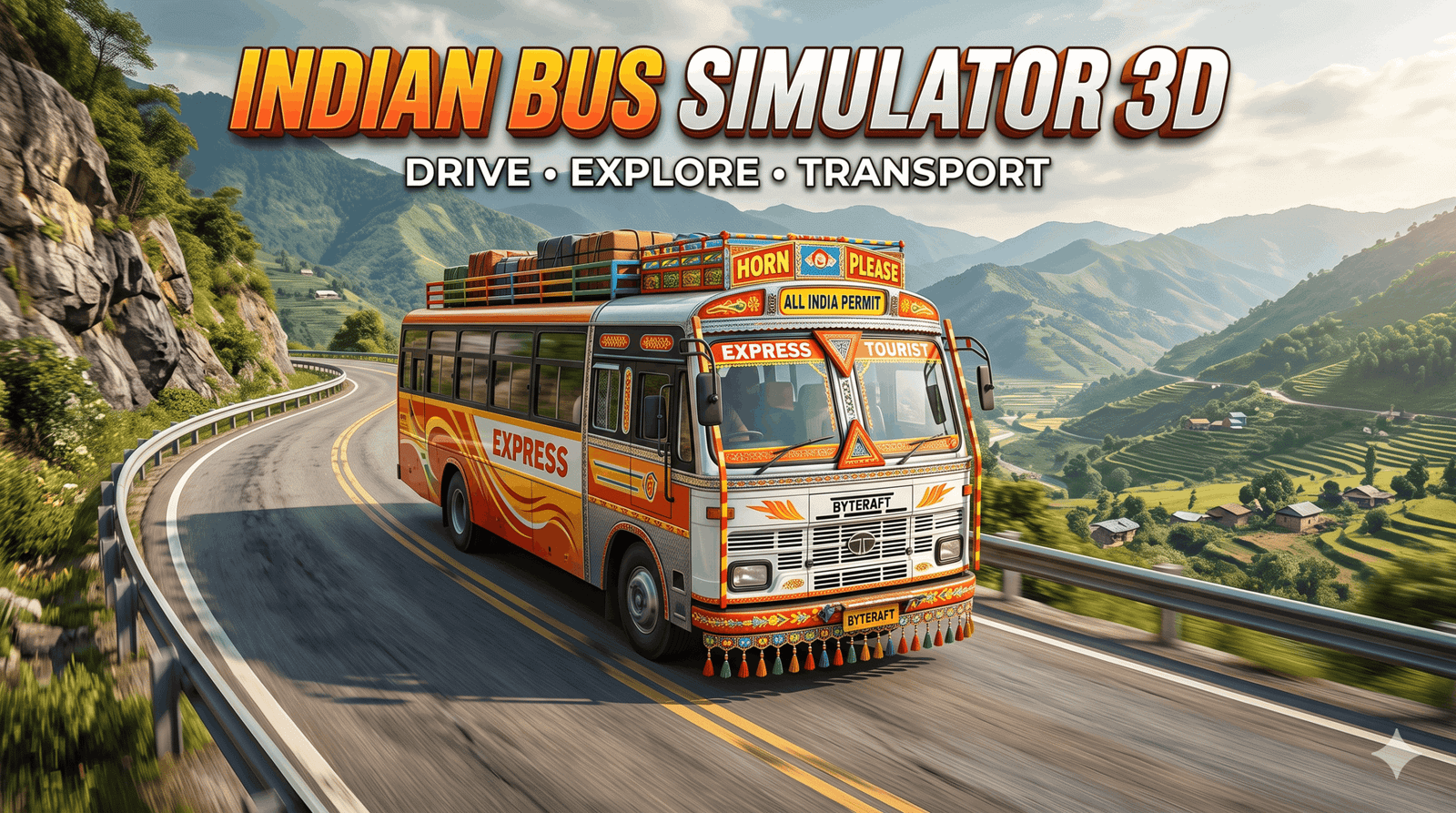
If you enjoy driving games and Indian road journeys, Indian Bus Simulator Game 3D is a free Android game worth a look. Developed by Byteraft Studios, it lets you drive buses through city streets, highways, hill roads and off-road tracks while picking up and dropping off passengers.
It is a casual simulator rather than a hardcore one: the focus is relaxed driving, simple controls and varied scenery instead of racing or complex route management. This guide covers what the game offers, its store details, how to get started, tips for difficult hill sections, common problems and a few alternatives.
What Is Indian Bus Simulator Game 3D?
Indian Bus Simulator Game 3D is a single-player vehicle simulation game on Google Play. You control a bus, navigate roads with traffic and complete passenger pickup and drop-off tasks at city stops. Outside the missions, a free-driving option lets you explore without a time limit.
The maps mix city and off-road environments, including hilly and mountainous terrain. You can change camera positions and choose between steering and arrow-button controls to suit your style.

Image source: bluestacks.com
Game Details at a Glance
The figures below come from the official Google Play listing as of late October 2026. Ratings and download counts change over time.
| Detail | Information |
|---|---|
| Developer | Byteraft Studios (India) |
| Platforms | Android; also listed for Windows via Google Play Games |
| Price | Free, contains ads |
| Rating | About 4.1 stars from roughly 48,000 reviews |
| Downloads | 10 million+ |
| Content rating | Rated for 3+ |
| Mode | Single player, tagged as offline-playable |
| Last listed update | 7 January 2026 |
| iOS version | No official App Store listing found |
Main Features
1. Indian-Style Roads and Varied Terrain
Routes include city roads, highways, mountain roads and off-road tracks. Narrow and steep sections are where the game becomes a real challenge, because a long bus behaves very differently from a car on tight bends.
2. Passenger Pickup and Drop-Off
Missions ask you to drive to marked stops, let passengers board, and deliver them to the next point. These tasks give structure to the driving and are the main way to progress through levels.
3. Free Driving
The description advertises free driving with no time limit. This suits players who simply want to cruise and enjoy the scenery without mission pressure.
4. Camera Options and Controls
You can switch camera positions to get a better view of tight turns or to enjoy the landscape. Controls include a steering wheel, arrow buttons and an accelerator, designed to be easy for people new to simulators.
5. Bus Upgrades
Completing tasks lets you upgrade your bus, which adds a light progression loop and a reason to keep playing. The listing does not say how many buses are included, and some reviewers ask for more variety.
How to Get Started
- Install the game from the official Google Play listing (link at the end of this article).
- Open the settings and choose your control method. Try steering first; switch to arrow buttons if the wheel feels too sensitive.
- Lower the graphics level if your phone is a budget or older model.
- Start with the first city level to learn braking distances and how wide the bus swings on turns.
- Move on to hill and off-road maps once you can stop accurately at passenger points.
Tips for Smoother Bus Driving
- Take turns wide. Buses have a long wheelbase, so begin your turn a little later and swing out to avoid clipping kerbs.
- Slow down before hills, not on them. Braking mid-descent on a steep road can make the bus slide or tip on off-road sections.
- Use a higher camera on mountain roads. It shows the bend ahead earlier than the cabin view.
- Stop fully at passenger points. Arriving too fast often means overshooting the marker and reversing, which wastes time.
- Spend upgrades on handling first. Better control helps more on hill maps than raw speed.
Common Problems and Fixes
- Bus stuck or flipped: reviewers ask for a recover or respawn button, which suggests the option is limited. Restarting the level is the reliable fix.
- Too many ads: the game is ad-supported. Turning on airplane mode may reduce ads since the game is tagged as offline-playable, but some features could stop working.
- Lag on low-end phones: reduce graphics, close background apps and free up storage.
- Game will not install: update the Play Store and Android System WebView, and check that your device has enough free space.
Playing on a Budget Phone
The Play Store page does not publish minimum specs, but casual 3D driving games like this generally run on most mid-range Android phones from the last few years. On older or entry-level devices, a few habits help: keep at least 2 to 3 GB of storage free, set graphics to low, turn off any shadow or reflection options, and close social apps that run in the background. If the phone heats up during long sessions, lower the frame rate or take a short break, since heat causes the processor to slow down and the game to stutter.
Playing with headphones also helps, because engine and horn sounds make it easier to judge speed without staring at the meter.
Pros and Cons
| Pros | Cons |
|---|---|
| Free and easy to pick up | Ad-supported |
| Mix of city, highway and hill maps | Limited bus variety, according to reviews |
| Free driving with no time limit | No weather effects mentioned |
| Works offline, per store tags | Android only, no official iOS version |
Who Is It For?
This game suits casual players, younger gamers and anyone who wants a quick, relaxed bus drive on Indian-style roads. If you want licensed buses, detailed route timetables or multiplayer convoys, a deeper simulator will serve you better.
Alternatives to Try
- Bus Simulator Indonesia: popular for its custom liveries and community-made bus skins.
- Bus Simulator: Ultimate: adds company management and multiplayer.
- Indian Train Simulator: if you like Indian transport sims, read our Indian Train Simulator driving guide.
- Car Parking Multiplayer 2: for open-world driving with other players, see our Car Parking Multiplayer 2 guide.
For more driving and simulation picks, browse our gaming section.
Final Verdict
Indian Bus Simulator Game 3D offers simple bus driving, passenger tasks, flexible camera views and a mix of city, highway and off-road environments. It is not the deepest bus simulator on Android, but as a free, lightweight option for relaxed driving on Indian-style roads, it does the job.
Download Indian Bus Simulator Game 3D
Android: Download from Google Play
FAQ
Is Indian Bus Simulator Game 3D free?
Yes. It is free to download on Google Play and is supported by ads.
Is it available on iPhone?
No official App Store listing for this game was found. It is available on Android and, through Google Play Games, on Windows PCs.
Can I play it offline?
Google Play tags the game as offline-playable, so the core driving should work without internet. An internet connection may still be needed for updates and some ads.
Who developed the game?
It is developed by Byteraft Studios, an Indian developer, and has more than 10 million downloads on Google Play.


2 thoughts on “Indian Bus Simulator Game 3D: Drive Buses on Indian Roads”