
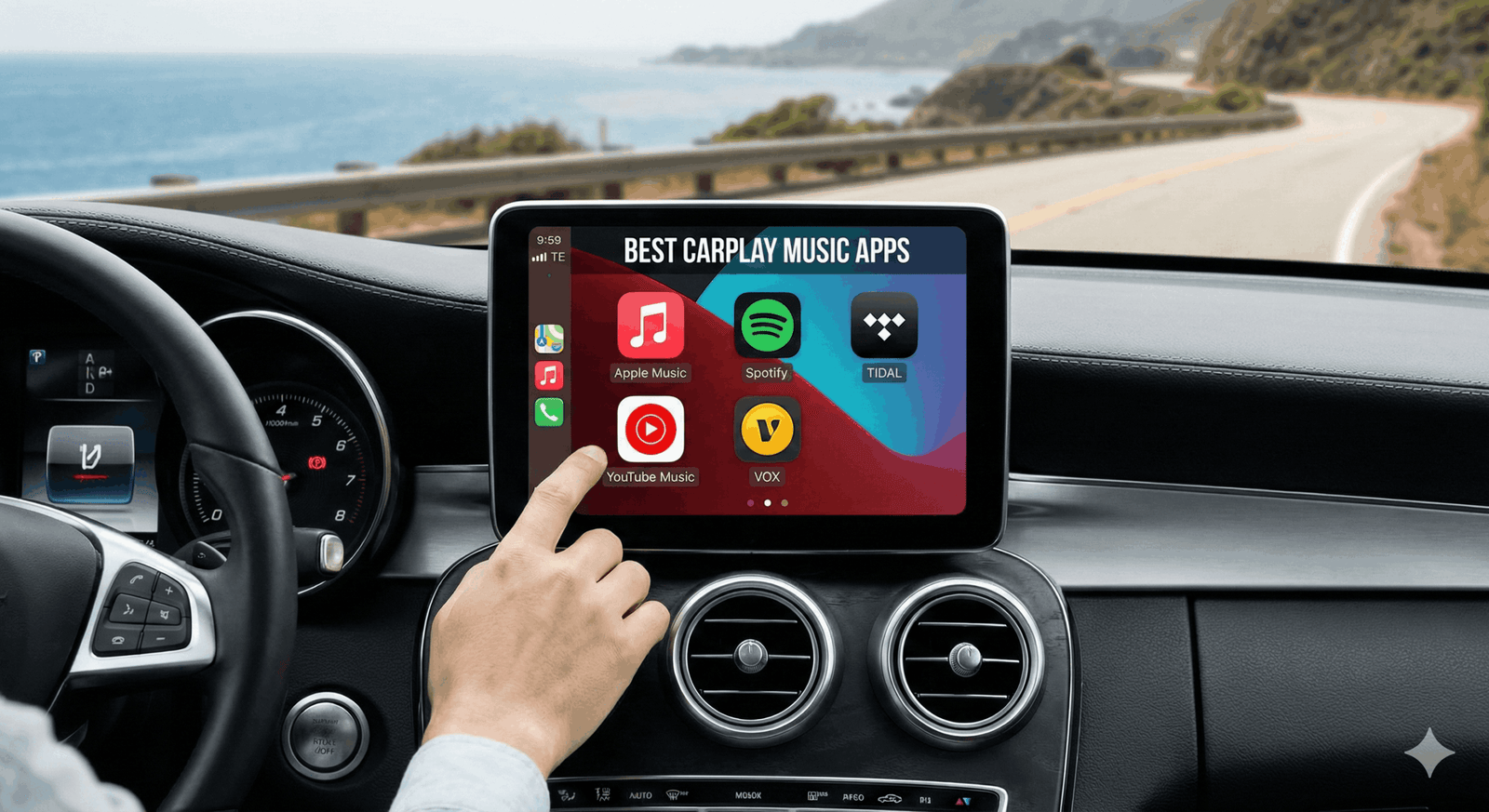
Your car’s infotainment system is only as good as the apps you run on it. By 2026, Apple CarPlay has evolved into a powerful dashboard OS, but not all music apps have kept up with the pace.
A great CarPlay app needs big buttons for safe tapping, seamless Siri integration for eyes-free control, and—most importantly—high-fidelity audio support to make the most of your car’s speakers.
Whether you are an audiophile with a custom sound system or just want the perfect road trip playlist, these are the 5 best music apps for Apple CarPlay right now.
1. Apple Music (The Best Integration)
Best For: Apple ecosystem users and Spatial Audio fans.
It is no surprise that Apple’s own app offers the smoothest CarPlay experience. In 2026, Apple Music remains the king of integration. It is the only app that reliably supports Siri for complex requests like “Play that upbeat pop song from last summer,” without skipping a beat.
- Why it wins on CarPlay: The interface is cleaner than any competitor, mimicking the native iOS design language that feels instantly familiar.
- Killer Feature: SharePlay. Passengers can now use their own iPhones to control the car’s music queue via a notification, even if they aren’t connected to CarPlay.
- Audio Quality: Supports Lossless Audio and Dolby Atmos (Spatial Audio), which sounds incredible in newer cars with multi-speaker setups.
2. Spotify (The Best for Discovery)
Best For: Social playlists and discovering new music.
After years of waiting, Spotify finally rolled out its HiFi (Lossless) tier to Premium users in late 2025, fixing its biggest weakness against Apple Music. But where Spotify truly shines on CarPlay is its predictive capabilities.
- Why it wins on CarPlay: Spotify’s “Car View” interface has been refined to show you exactly what you want to hear—your “Daily Drive” mix or “On Repeat” playlist—the moment you start the engine. The buttons are massive, making it easy to “Heart” a song at a red light.
- Killer Feature: Spotify Jam. This allows everyone in the car to add songs to a shared queue in real-time, preventing the inevitable “pass the aux” arguments.
3. Tidal (The Audiophile Choice)
Best For: High-fidelity sound systems.
If you have invested in a premium sound system (like Harman Kardon, Burmester, or Bose), Tidal is mandatory. While others offer lossless, Tidal’s Max quality (up to 24-bit/192kHz) delivers a depth and clarity that mp3s simply cannot match.
- Why it wins on CarPlay: Tidal has vastly improved its CarPlay stability in recent updates. It now loads “My Mix” playlists instantly and buffers Hi-Res tracks aggressively so you don’t experience dropouts in areas with spotty 5G.
- Killer Feature: Tidal Connect. You can hand off music from your phone to your car’s system seamlessly, ensuring the highest possible bitrate transfer.
4. YouTube Music (The Deep Cut King)
Best For: Remixes, live sets, and obscure tracks.
YouTube Music has surged in popularity thanks to its ability to play anything that exists on YouTube as an audio track. If you love listening to 10-hour lo-fi mixes, unreleased leaks, or live concert recordings, this is your app.
- Why it wins on CarPlay: Google has finally fixed the cross-device sync issues. If you were listening to a mix on your desktop at work, it will be waiting for you on your car’s “Now Playing” screen the moment you sit down.
- Killer Feature: “Samples” Tab. A TikTok-style feed of music snippets that helps you quickly find a vibe before you start driving (disabled while moving for safety).
5. VOX (The Local Library Hero)
Best For: Users who own their own music files (FLAC/MP3).
Not everyone wants to stream. If you have a massive hard drive full of your own ripped FLAC files or MP3s, VOX is the best player on the market. It acts as a cloud locker, letting you upload unlimited music to their server and stream it to your car without using your phone’s storage.
- Why it wins on CarPlay: Unlike the default “Files” app, VOX is designed for music. It has a beautiful CarPlay interface that supports gesture controls and equalizer settings.
- Killer Feature: Infinite Cloud. You can access terabytes of your own high-res music collection anywhere, without paying a monthly fee to Apple or Spotify for music you already own.
Verdict: Which One Should You Download?
- Choose Apple Music if you want the safest, most “hands-free” Siri experience.
- Choose Spotify if you want the best playlists and social features.
- Choose Tidal if you care purely about sound quality.